Origami app for ChatGPT and Claude
Find a paper craft, check its paper and follow illustrated steps in your chat.
Origami Tutor works in ChatGPT, Claude and any MCP client that supports Streamable HTTP. It reads public lessons and is free to use, with no Origami Tutor account or authentication. Your chat service’s own account and access rules still apply.
Get started
Server URL: https://origamitutor.com/api/mcp
Transport: Streamable HTTP. Authentication: none.
ChatGPT
Once Origami Tutor is published in the app directory, search for its name there, add it and select it in a chat. Directory publication is pending.
Developers can add the URL as a custom MCP app or server where their account permits it. Open ChatGPT’s Plugins page, choose the plus button, then Add custom MCP server. Enter Origami Tutor, the server URL above and no authentication. In interfaces that use developer mode, enable it in the advanced Apps settings first. Select Origami Tutor in your conversation before asking for a model. See the official ChatGPT connection guide for the current controls.
Claude
- Open Settings or Customize → Connectors.
- Choose Add custom connector. Enter Origami Tutor as the name and the server URL above.
- Choose No sign in if asked about authentication, then add the connector.
- Enable Origami Tutor in your chat’s connectors and ask for a paper project.
A workspace administrator may need to add the connector for you. Claude’s custom connector guide explains the available settings.
Other MCP clients
Add a remote server using Streamable HTTP and the same URL, with no token or API key. For clients using an mcpServers configuration, the connection looks like this; field names can differ by client:
{
  "mcpServers": {
    "origamitutor": {
      "type": "streamable-http",
      "url": "https://origamitutor.com/api/mcp"
    }
  }
}
MCP Apps support is needed for the interactive widget. Clients without it can still use the tool results and open the supplied lesson links.
What you can ask
Find a model
- “Find a paper plane I can make.”
- “Show me easy origami animals.”
Choose paper
- “What paper do I need for an origami crane?”
- “What is the largest square I can cut from A4 for origami?”
Follow the steps
- “Show me the crane folding steps.”
- “Find a cootie catcher, then show me its instructions.”
Get ideas by occasion, age or time
- “Suggest easy Christmas origami for an eight-year-old.”
- “Find paper crafts with an estimated time of ten minutes or less.”
- “Suggest Halloween paper cutting for a six-year-old.”
Browse categories
- “What kinds of paper crafts can I browse?”
Tools reference
All five tools are read-only. Inputs are a JSON object; extra input names are rejected. Difficulty and category are text filters, not schema enums. Use category names from list_categories. Origami excludes paper airplanes; choose Paper airplanes for planes.
find_origami
Searches public paper crafts by query, difficulty and category, returning ranked projects, paper requirements, lesson links and pagination.
| Name | Type | Required | Allowed values or limits |
|---|---|---|---|
query | string | Yes | 0–200 characters. What the user wants to make, for example paper plane or easy animals for kids. Empty means browse. |
difficulty | string | No | 1–200 characters. Difficulty: "Easy", "Intermediate", "Medium" or "Advanced". "Beginner" also means Easy. |
cursor | string | No | 1–200 characters. Opaque nextCursor from a previous page with identical filters and pageSize; absent on the first page. |
pageSize | integer | No | 1–20, inclusive. Projects per page, default 8. The widget may request 4 for compact inline displays. |
category | string | No | 1–200 characters. Optional subject or craft family, for example Animals, Boxes, Origami or Paper cutting. |
Returns a catalog view with ranked model summaries, paper guidance, lesson links, a total count, pageSize, nextCursor and the request to repeat for another page.
get_origami
Returns a model’s difficulty, paper requirements, materials and lesson links for a slug, identifier or unambiguous name.
| Name | Type | Required | Allowed values or limits |
|---|---|---|---|
slug | string | Yes | 1–200 characters. Public model slug, identifier or unambiguous model name. |
Returns a model view with one model’s description, difficulty, step count, paper size and type, materials, scissors and glue requirements, estimated minutes, tips, occasions, age guidance, picture and lesson links.
get_origami_steps
Returns all illustrated folding instructions and the Finish note for a model slug, identifier or unambiguous name.
| Name | Type | Required | Allowed values or limits |
|---|---|---|---|
slug | string | Yes | 1–200 characters. Public model slug, identifier or unambiguous model name. |
Returns a steps view with the model summary, starting instructions and diagram, every numbered step with its title, text and diagram URL, any instruction parts, and the Finish note.
suggest_origami
Filters projects by occasion, age, estimated duration, difficulty and category, returning ranked matches and pagination.
| Name | Type | Required | Allowed values or limits |
|---|---|---|---|
cursor | string | No | 1–200 characters. Opaque nextCursor from a previous page with identical filters and pageSize; absent on the first page. |
pageSize | integer | No | 1–20, inclusive. Projects per page, default 8. The widget may request 4 for compact inline displays. |
occasion | string | No | 1–200 characters. Holiday or season, for example Christmas, birthday, Mother's Day or spring. |
age | integer | No | 1–120, inclusive. Age in years; uses the site's minimum age guidance. Unknown ages are excluded when this filter is given. |
max_minutes | number | No | 1–1440, inclusive. Maximum estimated duration in minutes. Filters estimates only; folding pace varies and completion within this budget is not guaranteed. |
difficulty | string | No | 1–200 characters. Difficulty: "Easy", "Intermediate", "Medium" or "Advanced". "Beginner" also means Easy. |
category | string | No | 1–200 characters. Optional craft family or subject, for example Origami, Animals, Paper airplanes or Paper cutting. |
Returns a catalog view of ranked matches, model summaries and paper guidance, total count, pageSize, nextCursor and the request to repeat for another page. Age filtering excludes projects without matching age guidance.
list_categories
Lists public craft categories with project counts and page links.
| Name | Type | Required | Allowed values or limits |
|---|---|---|---|
No inputs. Send an empty object: {}. | |||
Returns a categories view with the total model count and each category’s id, name, model count, craft or subject kind, page link and description when supplied.
Model summaries include a finished-model picture, paper advice (including square preparation from A4 and Letter when relevant), a full lesson URL, a print-view URL and a template URL when available. Use a returned model id as the slug input when a name matches more than one craft.
For another catalog page, send nextCursor back as cursor with identical filters and pageSize. A null cursor means there are no more results. Start a fresh search if a cursor expires. No matches means you should try a shorter name or change a filter.
The widget
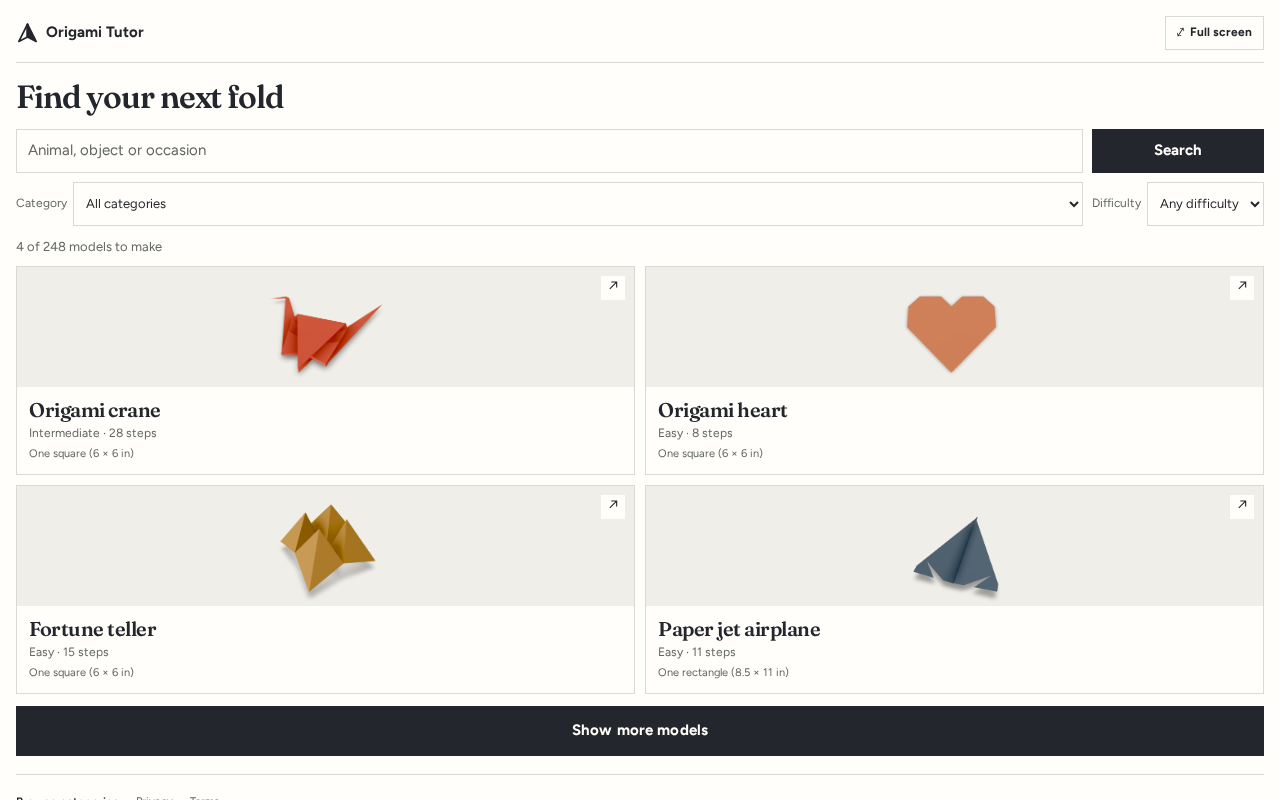
Catalog cards show a model’s picture, difficulty, steps and paper. Search or change category and difficulty to narrow the list. Choose a card to open the model. Show more models reveals more results when available.
The model view shows the materials, recommended sheet size, paper type and preparation advice. Open its instructions to begin folding.
The step viewer shows one diagram and instruction at a time. Use Back and Next, or the step picker to jump directly to a step. Read all steps expands the complete illustrated sequence; the button includes the number of steps. Before you start shows the starting paper and preparation.
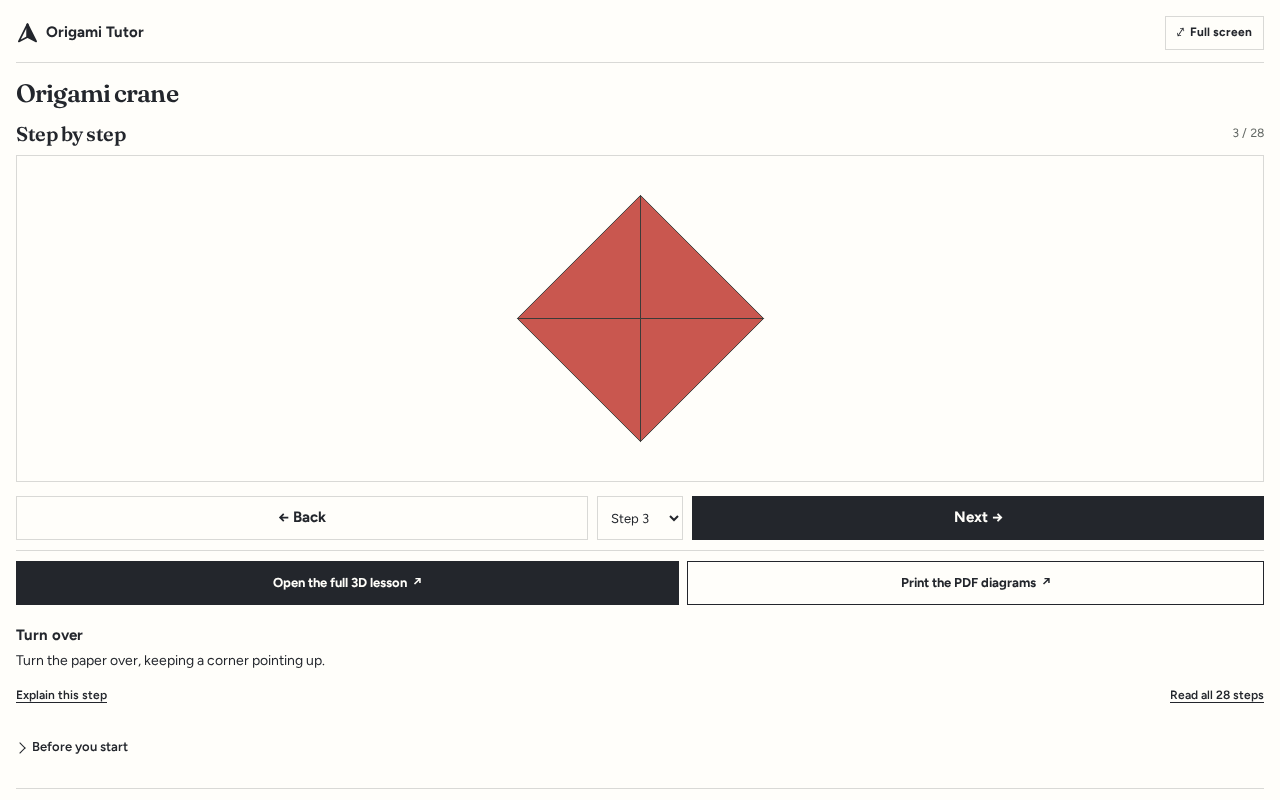
Use Full screen for a larger view when your host supports it. Open the full 3D lesson opens the website’s rotatable, replayable lesson. Print the PDF diagrams opens the printable lesson; use your browser’s print controls to print it or save it as a PDF.
Limits
The app reads 368 public origami and paper-craft models. Instructions and tool results are in English. It cannot make purchases, store profiles, accept uploads or publish new lessons.
Times are estimates based on step count and difficulty. Folding pace varies; a model within a time filter is not a promise that you will finish by then. Age suggestions use the site’s minimum-age guidance, and some projects require scissors or glue.
Privacy and data
Origami Tutor does not store your prompts, tool inputs, conversation history or profiles. Your assistant sends the search words, filters or model identifier needed to answer your request. The chat service handles your conversation under its own privacy policy.
Opening an app link to the website records the link source, destination page, time, country when available and a bot flag. These click records contain no IP address, cookies or user identifiers. Read the privacy policy.
Support and version
For help, contact abishop1933@gmail.com. Include the model name and the step you were trying to follow.
App package version: 1.0.2. Documentation last updated: .